Frequently Asked Questions
Questions about General Hi-fi and Audio Issues
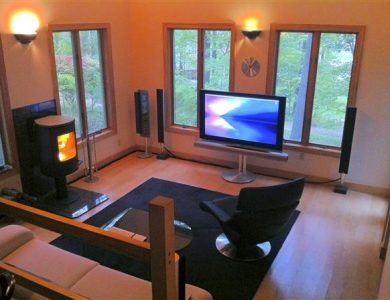
Entire books have been written about this topic, so the following advice should just be considered as a starting point; exact positions will vary depending on your room acoustics and choice of loudspeakers. The following advice is suitable for either stereo speakers (ie. 2 channel) or the two main front speakers in a 5.1 or 7.1 channel surround sound system. Good speaker positioning improves the sound quality and stereo image, so that instruments sound more lifelike and appear to come from different parts of the stage (as they would sound at a live concert).
As a starting point, locate the "tweeter" or small high-pitched driver in the speakers (Just play some music with plenty of rythym and listen for where the cymbals appear to come from!) These drivers should normally be positioned at about ear level when you are sitting in your usual seat (or standing up dancing!)
Measure from your usual listening position to the front wall of the room where the speakers are placed (ensure that they are in front of you, not to the side or behind you) This distance should be roughly the same as the distance between the speakers.
Now look at the back panel of the speakers. If there is a hole in the back (known as a bass port) or a grille cloth on the back (covering a bass driver), then the speakers should normally be placed away from the front wall of the room. If neither holes nor grilles are present, then the distance from the front wall is less important. The distance the speakers should be placed from the wall for best effect will vary, but 50cm (0.5m) is usually a good starting point for most speakers. Listen to some music you know well with a clear bassline and try various positions to see which gives clear, realistic bass notes that fit in well with the rest of the music.
Finally, ensure that the speakers are solidly mounted on suitable brackets or stands (for smaller speakers) or securely placed on the floor (for taller speakers). Try pointing the speakers directly at your listening position, straight at the back wall and then try them angled inwards to point at a position about 50cm in front of your listening position. This will alter the positioning of instruments "on stage" and you should be looking to hear the lead singer clearly in the centre, with backing vocals and instruments spread evenly between the speakers.
Above all, there is no "right" or "wrong" way to position your speakers, so feel free to experiment and find out what works best for you.
2) How do I know if my remote control is working?
This is a nice easy one! Just find a digital camera (or camera phone) and switch it on so that the screen shows a picture (don't press the shutter button) Hold the front end of the remote control up to the camera lens so that you can see the small black "window" on the screen. If the remote is working properly, you should see fast, bright flashes of white light on the camera screen when you press a button on the remote. If the flashes are dim, the batteries probably need replacing. If nothing shows, your remote control is likely to need repair or replacement.
3) How can I test the bass response of my loudspeakers?
First, buy a cable from this website to connect your PC to your audio system! Second, download the following "Bass Response Test" and save it to your PC as an MP3 file. Connect up your audio system and listen as the bass tones descend from 340Hz (mid bass) to 20Hz (the lower limit of human hearing). The frequency of each successive note is announced, so you can work out the limit of your audio system from the point where the tones disappear - the results may surprise you!
For the ultimate bass extension test, the following "20 Hz Test Tone" in MP3 format will tell you if you speakers can plumb the depths of human hearing, with a long clear note at the very edge of audibility which will test even the best loudspeakers in the World to their limits!
For reference, the lowest note on a Tuba, Bosendorfer Imperial Grand Piano and most cathedral pipe organs (C0) is 16.35 Hz, although few modern pianos go lower than 27.5Hz and a four string double bass "only" reaches down to around 41Hz.
4) How do I check if my remote control is working?
Simply hold the front of the remote to your mobile phone camera and press a button on the remote-you should see bright flashes of light appear on the phone screen if the remote is working. Dim flashes indicate low batteries in the remote. No light at all usually means the remote is faulty (or has no batteries!)
5) What size of TV should I buy to fit my room?
Measure the distance from your normal viewing chair to the TV in inches, then divide by 3 to give you a good starting point for a modern widescreen TV (eg. If you sit 96" from the TV, you need at least a 32" screen). For older "square" CRT televisions, the distance would usually be divided by 4 to give the minimum screen size.
There is no reason why you can't go for a bigger TV than the size given by this formula, but we would not recommend using a smaller TV as this can lead to eye strain and give poor viewing quality.
To get the very best picture quality from HD and 3D sources, we can offer HDMI cables from this website to connect your Blu-ray and satellite tuner to your TV!
Questions about finding the right cables
Yes, you can! We have the cables you need in stock ready to ship. This cable will allow you to connect an iPod to the Aux socket on the back of your B&O system:-
Please set the iPod volume to maximum when connecting to the B&O system – this is normal when using a portable music player with a home audio system due to the low output levels produced by the iPod.
To listen to the iPod, simply press "A.Aux" on the B&O keypad, or select this on a B&O Beo4 remote control by pressing the "LIST" button until the display shows "A.AUX", then pressing "GO".
If this information doesn't fully answer your questions, please feel free to contact us, as our team of skilled engineers are always happy to help with any enquiries you may have!
2) Can I use my non-B&O TV with my B&O audio system?
Yes, you can! We have the cables you need in stock ready to ship. There are several options, depending on the connections fitted to your TV, These are listed below in order of preference:-
The cable above would connect to the Aux socket of the B&O audio system. To listen to the TV, simply press "A.Aux" on the B&O keypad, or select this on a B&O Beo4 remote control by pressing the "LIST" button until the display shows "A.AUX", then pressing "GO".
Please that the red, white and yellow sockets that are usually to be found on the side or front panel or most new TVs are INPUTS to the TV, so these are not suitable for taking sound out to the B&O system.
Please note that this will switch off the TV speakers and that you will need to set the TV volume quite high, typically 75% of maximum.
If this information doesn't fully answer your questions, please feel free to contact us, as our team of skilled engineers are always happy to help with any enquiries you may have!
3) Can I use my non-B&O TV with my BeoSound 4 or BeoCenter 2 audio system?
Yes, you can! We have the cables you need in stock ready to ship. There are several options for connecting a non-B&O TV to the BeoSound 4 or BeoCenter 2, depending on the connections fitted to the TV, These are listed below in order of preference:-
The cable above would connect to the Aux socket of the B&O audio system. To listen to the TV, simply press "A.Aux" on the B&O keypad, or select this on a B&O Beo4 remote control by pressing the "LIST" button until the display shows "A.AUX", then pressing "GO".
Please that the red, white and yellow sockets that are usually to be found on the side or front panel or most new TVs are INPUTS to the TV, so these are not suitable for taking sound out to the B&O system.
If this information doesn't fully answer your questions, please feel free to contact us, as our team of skilled engineers are always happy to help with any enquiries you may have!
4) Can I use my Beolab speakers with a non-B&O TV (without a subwoofer)?
Yes, you can! We have the cables you need in stock ready to ship. The only way to connect the speakers to your TV is to use the headphone socket on the TV, as this is the only socket where the volume of the sound can be controlled. You can connect a pair of Beolab speakers to the headphone socket of your TV using this cable:-
Please set both speakers to "Line" mode using the small switch next to the input sockets. If you have a hifi or audio system in the room near the TV, please let us know the details, as it may be better to connect the speakers via this instead of directly to the TV. If this information doesn't fully answer your questions, please feel free to contact us, as our team of skilled engineers are always happy to help with any enquiries you may have!
5) Can I use my Beolab speakers with a non-B&O TV (with a Beolab 2 subwoofer)?
Yes, you can! We have the cables you need in stock ready to ship. The only way to connect the speakers to your TV is to use the headphone socket on the TV, as this is the only socket where the volume of the sound can be controlled. Your Beolab 2 subwoofer needs a powered cable to generate the trigger signals that would normally be sent from a B&O television:-
Please select the standard “3.5mm Minijack” input option to connect to the TV headphone socket. The stereo Beolab speakers will then plug into the two output sockets on the Beolab 2 using standard Powerlink mk.3 cables (one cable is needed for each speaker):-
If this information doesn't fully answer your questions, please feel free to contact us, as our team of skilled engineers are always happy to help with any enquiries you may have!
6) Can I use my Beolab speakers with an AV receiver (with pre-out sockets) to get surround sound?
Yes, you can! We have the cables you need in stock ready to ship. I would suggest looking at the latest receivers from Denon, Yamaha or Onkyo, as these companies produce some AV receivers within their ranges which have audio pre-out sockets for easy connection of Beolab speakers for a Dolby surround sound setup.
You can connect stereo Beolab speakers (eg. Beolabs 4000, 6000, 8000, etc) to one of these processors using these cables (one set of cables is needed for each pair of speakers to be connected):-
If you have a Beolab 2 subwoofer, or a Beolab 7-x/Beolab 10 dedicated centre speakers, these each need a powered cable to generate the trigger signals that would normally be sent from a B&O television:-
As receiver model numbers are constantly being updated by the manufacturers, please feel free to ask us if you would like specific recommendations for suitable receivers to consider. If this information doesn't fully answer your questions, please feel free to contact us, as our team of skilled engineers are always happy to help with any enquiries you may have!
7) Can I use my Beolab speakers with an AV receiver (without pre-out sockets) to get surround sound?
Yes, you can! We have the cables you need in stock ready to ship. For the best sound quality, we would ideally suggest choosing an AV receiver with audio pre-out sockets fitted. However, if your receiver doesn't have these sockets, you can still connect the speakers by one of the two methods below:-
Please select your speakers from the "Past Speakers" or “New Speakers” lists to get the correct cables for your speakers.
If this information doesn't fully answer your questions, please feel free to contact us, as our team of skilled engineers are always happy to help with any enquiries you may have!
8) Can I use my iPod with a BeoSound 1 portable music system?
Yes, you can! We have the cables you need in stock ready to ship. This cable will allow you to connect an iPod to the Aux socket on the base of your Beosound 1:-
Please set the iPod volume to maximum when connecting to the B&O system – this is normal when using a portable music player with a home audio system due to the low output levels produced by the iPod.
To listen to the iPod, simply press the two arrow markers either side of the CD button at the same time, or select "A.AUX" on a B&O Beo4 remote control by pressing the "LIST" button until the display shows "A.AUX", then pressing "GO".
If this information doesn't fully answer your questions, please feel free to contact us, as our team of skilled engineers are always happy to help with any enquiries you may have!
9) Can I use my Sonos Connect or Sonos ZP90 with Beolab speakers?
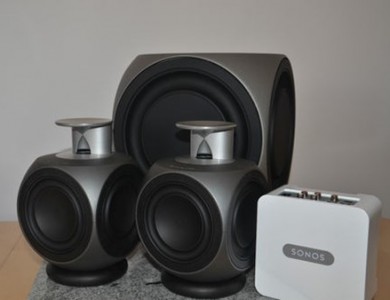
Yes, you can! We have the cables you need in stock ready to ship. Here is the cable you need to connect two Beolab speakers to a Sonos ZP90 or Sonos Connect:-
Please choose your speakers from the drop-down list and set both speakers to "Line" mode using the small switch next to the input sockets.
If this information doesn't fully answer your questions, please feel free to contact us, as our team of skilled engineers are always happy to help with any enquiries you may have!
10) Can I use my Sonos Connect:Amp or Sonos ZP120 with Beolab speakers?
Yes, you can! We have the cables you need in stock ready to ship.
Firstly, it is worth mentioning that if you have not yet purchased (or if you have recently purchased) the Sonos system, we would strongly advise you to return the Connect:Amp unit and change it to a Sonos Connect unit which has audio out sockets for direct connection of Beolab speakers. Using the Connect:Amp unit also requires a special Attenuated Speaker Converter for the Connect:Amp unit, as well as the cables listed below, to reduce the amplified outputs of the Connect:Amp to safe levels for the Beolab speakers to accept.
For either version of Sonos unit, you will then need one set of the following cables for each pair of Beolab speakers to be connected:-
Please choose your speakers from the drop-down list. Each Sonos unit will normally accept two Beolab speakers, although we can provide free RCA Splitter adapters with your order on request to allow four Beolab speakers to be used with one Sonos unit (one free pair of adapters can be provided when two sets of cables are ordered together).
Please remember that you will also need the Attenuated Converter as well as the cables if you are using the Connect:Amp with Beolab speakers. Please set both speakers to "Line" mode using the small switch next to the input sockets.
If this information doesn't fully answer your questions, please feel free to contact us, as our team of skilled engineers are always happy to help with any enquiries you may have!
11) Can I use my Beolab Penta mk.1 speakers with a new B&O system or TV?
Yes, you can! We will be pleased to build a pair of short Powerlink to Speakerlink adapters for you on request. These will be approx. 20cm long and one will fit underneath each Penta speaker to connect to the Line and Speakerlink sockets.
You can then purchase Powerlink mk.2 cables on our website (you need one cable for each speaker) to connect from the Powerlink sockets on your TV or CD player to the adapters under each speaker:-
Please ask for details if you are interested in these adapters. If this information doesn't fully answer your questions, please feel free to contact us, as our team of skilled engineers are always happy to help with any enquiries you may have!
Questions about Bang and Olufsen systems
Despite the unusual connections used on Bang and Olufsen audio systems (typically 2, 5, 7 and 8 pin DIN plugs), it is possible to get your B&O system to interface to equipment from other manufacturers, including such items as non-B&O CD players, turntables, active subwoofers, amplifiers and speakers.
B&O themselves make a limited range of adapters to allow you to interface with other companies' equipment, with further ranges available online through manufacturers such as Sounds Heavenly.
The most common (and useful) ways of integrating B&O into other systems include:-
2) How do I connect my modern B&O system to a non-B&O amplifier and passive loudspeakers?
Modern Bang and Olufsen televisions and audio systems do not have built-in power amplifiers, but they are designed to connect to B&O's "Beolab" range of active (amplified) loudspeakers. So what do you do if you want to connect a modern B&O audio source or TV to a conventional amplifier and loudspeakers?
Sounds Heavenly have developed an adapter cable which connects to one of the Powerlink outputs on your B&O system and converts this to RCA (also known as "phono") sockets to allow you to plug in a normal hifi or home cinema amplifier and speakers. As one Powerlink socket contains both left and right stereo signals, only one cable is needed to give stereo sound.
If you want to continue using the volume control on your B&O system to control the speakers you have connected in this way, you will need to set the extra amplifier volume level near to maximum. You can then use your B&O volume control (and remote control) as normal.
This setup allows you to use in-wall or in-ceiling speakers (indoor or outdoor) with your B&O music system, or to connect it to a multi-channel cinema/home theatre surround sound system. Click here for full details of this product.
3) Which type of Powerlink cables do I need for my B&O speakers? (VIDEO REPLY)
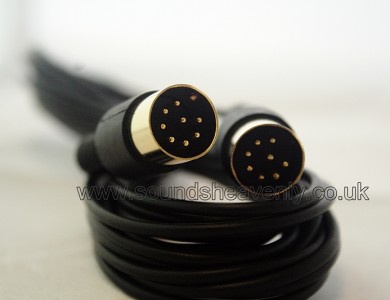
All modern Bang and Olufsen Beolab active speakers (ie. those powered from the mains supply) should be connected to your audio system or television using Powerlink cables. These are all similar in outer appearance, with a round 8-pin DIN plug at each end of the cable. However, there are three versions of this cable:-
Mark 2 and mark 3 Powerlink-compatible cables are available from Sounds Heavenly. We no longer stock mark 1 cables, as they offer no advantages but they are incompatible with many speakers from the current Beolab range.
The exception to the rules above are the very earliest Beolab speakers (notably the Beolab Penta mark 1), which used a special connection type called Speakerlink. This used a specially made plug, which has not been manufactured since the late 1990's. However, a 2-pin DIN speaker cable can be used to power these speakers, although the displays will not light up.
The video below gives more information on choosing the right Powerlink cables for your speakers:
4) Which Beogram turntables need an external pre-amplifier kit?
Since around 1990, Bang and Olufsen fitted built-in RIAA pre-amplifier modules to all of their Beogram range of record players, to allow them to be used with their newer audio systems. However, a large number of their earlier turntables are still in use which do not have these amplifiers fitted. Anyone wishing to use a pre-1990 Beogram turntable with a modern B&O system would need to buy an external RIAA per-amplifier, as the B&O modules are no longer available.
Sounds Heavenly have developed a Pre-Amplifier Kit which combines a mains-powered RIAA pre-amplifier with all the necessary cables and convertors to connect an early Beogram turntable to a modern B&O system. These are required for most Beogram turntables, including those listed below:-
Beogram 1500 family
Beogram 1000 family
Beogram 3000 family
Beogram 1200 family
Beogram 3000 family
Beogram 1100 family
Beogram 1902 family
Beogram 2400 family
Beogram 1800 family
Beogram 4000 family
Beogram 8000 family
Beogram 6002 family
Beogram 5005 family
Beogram 3000 family
Please note that some examples of the turntables listed above may have previously been fitted with an internal pre-amplifier by B&O. However, this is a rare occurence, so if you have a model listed above, if is likely to require an external Pre-Amplifier Kit before it can be used with a modern B&O audio system.
5) Which Beogram turntables can be wall-mounted?
Bang and Olufsen produced an excellent wall bracket for their Beogram record players in the 1980's that seemed to disappear under the turntable, leaving the Beogram seemingly suspended in mid air. Sadly, these are no longer in production and they are now very rare.
The B&O brackets fit many of the B&O Beogram range, including the models listed below:-
The dimensions of the brackets are approx. 33cm wide x 30cm deep x 7cm high. Basically, if the depth from the back edge of your B&O turntable to the front feet underneath is 30cm or less, then these shelves will fit your Beogram.
6) My B&O system has 7 pin input sockets but your cables only have 5 pins - will they work?
Yes, there is no need to worry! The 5 pin DIN plugs fitted to our iPod Input Cables and RCA Input Cables will fit perfectly and work correctly in both 5 pin and 7 pin DIN sockets. The extra 2 pins in the 7 pin socket are only used to pass data between B&O products, so they are not required when non-B&O inputs are connected. The alignment of the pins is identical for both 5 and 7 pin sockets, so the 5 pin plugs are ideal for both the older (5 pin) and the newer (7 pin) input sockets.
7) Can you recommend any good websites where I can obtain information about B&O products?
8) Do you buy or sell B&O audio systems?
9) Do you repair B&O audio systems or televisions?
No, but we can recommend the following approved Bang & Olufsen repairer, who can service Bang and Olufsen products:-

10) Can you recommend someone to install my B&O audio system or television?
We can highly recommend the following experienced Bang & Olufsen installer, who covers the whole of the UK to provide high quality installation and commissioning of all Bang and Olufsen products:-

11) How can I control my lights from the LIGHT button on my B&O remote control?
If you have ever wished that you could use the LIGHT button on your B&O remote control, or even wondered what it was for, then our new Light Button website has all the answers you need! Since 1988, most B&O remotes have included a button marked LIGHT to allow you to control your home lighting from the comfort of your favourite armchair. However, the accessories to make this possible have been difficult to obtain - until now! Sounds Heavenly are proud to present our range of specialist dimmers at our Light Button website that work with the following range of B&O remote controls:-
Please visit the Light Button website for more information!
12) Can I set my lights to switch on automatically from my BeoTime remote using the alarm function?
If, like me, BeoTime is your favourite B&O product of all time, then you might like this! Basically, BeoTime has a hidden menu which allows you to enable a number of useful extra functions, including:-
Here is how to add the hidden menu items to your BeoTime:-
When you scroll through the menu, you will now have a new option "ALARM LIGHT", which can be set to raise your lights to a pre-set level each morning. The "SUNRISE" option in the Alarm Light sub-menu can be used to enable this as a gradual brightening over a period of time, instead of simply switching on the lights at once.
As an added bonus, your BeoTime will now be enabled for use with Masterlink Gateway (if you have this). If you enable the Alarm Timeout or Sleep Timer Timeout options, then BeoTime will now switch off the lights automatically when it switches off the source that is playing.
Just in case you are thinking "I can't control my bedroom lights from BeoTime, can I?" - the answer is "Yes, you can!" Lutron produce a range of B&O approved Rania dimmers that can replace a standard light switch to give you easy control from BeoTime or any B&O remote with a LIGHT button (you can obtain these from us at our Light Button website).
Questions about shopping with Sounds Heavenly
Don't panic! It's not as tricky as it looks! Just select the name of your audio system from the pictures below (eg. B&O, Naim, Quad, etc). If you don't see your system listed, click on the Hi-fi/Studio picture for all other brands.
Click on any of the products listed on the left side of the new page that loads to see full details of what they do and how they can be used. When you find an item that you would like, simply select the option you require (eg. cable length) from the pull-down menu on the left side of the page to see the price and click "Add to Cart" to reserve it ready for purchase. You can continue adding as many items as you want in this way and you can view your Shopping Cart at any time by clicking the "View Cart" button on any product page. From this screen, you can amend quantities, remove any items you no longer require, or cancel your order if you wish. All of our products include shipping costs (unless clearly marked otherwise), so there are no surprises when you come to pay for your order!
To pay for your order, click "View Cart" and then "Proceed to Checkout". If you have a PayPal account, you can log into this securely to pay for your order. If you don't have a PayPal account, you can either open one at no extra cost, or pay easily and safely using any major credit or debit card. However you choose to pay, PayPal's industry-leading security system means that your account details will not be disclosed to us and these are protected against theft or fraud.
You will receive an automated confirmation of your order by email within a few minutes of completing the checkout process and this will be followed up within 48 hours by a personal email from a member of our UK-based team to thank you for your order and confirm how and when your purchases will be shipped to you. This email will include a contact email address and telephone number which you can use if you need to speak to us regarding your order.
We are keen to make the ordering process as simple as possible and we are here to help if you have any questions or concerns about this.
2) Can I pay you by post using a cheque, bank draft or postal order?
Yes, of course, as long as your payment is made in British Pounds according to the instructions below. If you need to pay using any other currency, please follow the instructions outlined in the question above to pay by PayPal, or by credit or debit card, as this will automatically convert your local currency into British Pounds for you.
To make a postal payment, please select your purchases as described above and add them to your online Shopping Cart. Please contact us using the email contact details that are visible on the website and we will confirm the correct delivery address to use. When your order is complete, please click on "View Cart" and print out the Shopping Cart page. Please enclose this page with your payment and your required delivery address and send this to us.
Please make your payment out to "Sounds Heavenly Limited". Please DO NOT send cash through the post, as we cannot accept payment by cash. The processing time for postal payments is usually around 7 days from the date when your payment arrives, as this is the time taken for your payment to clear through our bank. If you would like us to contact you to confirm receipt of your payment and again to confirm the shipping details for your order, please include a contact email address or telephone number with your payment.
3) Who are Sounds Heavenly and who runs soundsheavenly.co.uk?
SoundsHeavenly.co.uk is a website owned and operated in the UK by Sounds Heavenly Limited. Our UK Company Registration Number is 6629281 and our UK VAT Registration Number is GB 117 5368 11. Our registered trading address is 2, East Side Croft, Melton Mowbray, Leicestershire, LE13 1FE, United Kingdom. Sounds Heavenly is owned and managed by its founder, Steve Marriott. Steve is a graduate Electronics Engineer with over 20 years of experience in the audio industry.
4) What is the Privacy Policy for the Sounds Heavenly website?
Sounds Heavenly Limited are committed to protecting your privacy and all information is collected lawfully. We work in compliance with the Data Protection Act 1998.
We only collect personal information when you provide it to us on our enquiry links. You can check the information that we have about you by emailing us. If you find any inaccuracies please let us know and we will delete or correct it for you. We will not email you in the future unless you have given us your consent or pass your email address to other websites unless you agree and we do not send marketing emails to non-client email addresses. We do not use cookies to track vistors to our website.
5) What is the Returns Policy for the Sounds Heavenly website?
You can shop with confidence at Sounds Heavenly! All of our advertised products are supported by a full money-back promise - if you are not delighted with your purchase, simply return it to us (in the same condition that it reached you in) so that it reaches us within 60 days of your original purchase date and we will cheerfully give you a full refund. The only exceptions to this promise are items which we have custom-built to your specification - if you wish to return an item that we have specially made at your request, then we will still be happy to agree this if the item that you have received is returned to us within 60 days of purchase due to being faulty or not as described. We hope you will agree that this is a much fairer policy than the 7 day return period required in the UK under the Consumer Protection (Distance Selling) Regulations! We are very proud of our customer service record and we are keen to hear from you with any comments you may have regarding your purchase.
6) What are the terms and conditions for shopping on the Sounds Heavenly website?
We aim to work openly and fairly with our customers and as a result we are proud to offer FREE Worldwide shipping on all of our cables and also on the majority of our accessories. If you need to return an item to us in line with our Returns Policy, we will not normally offer to refund additional expenses (ie. your return postage costs), except under exceptional circumstances. Please remember that whenever you buy goods and services on the Internet as a consumer, you are entering a legally binding contract with the seller. As Sounds Heavenly are based within the United Kingdom, UK law applies to your purchases from Sounds Heavenly, regardless of which country you are in when you make your purchase. We are keen to ensure that all of our customers are delighted with their experience of shopping with us, so we are always keen to listen to your views and we will always try our best to assist you with any issues that may arise. All of our products are tested prior to dispatch and packed carefully to prevent any damage or loss in transit.
7) How quickly will my order be shipped and when will it arrive?
Items are normally shipped on the same working day or the next working day after payment clears into our account. Shipping for items up to 2Kg in weight is normally via First Class post (for UK deliveries) or Airmail (for all other destinations), or by courier service for orders over 2Kg. UK orders over £50 in value and non-UK orders over £100 in value are normally sent by a signed-for delivery service (eg. Royal Mail Recorded delivery or Airmail International Signed For) and orders should arrive within the following timescales:-
UK = Typically 1 to 3 days, maximum 7 days
Europe = Typically 3 to 7 days, maximum 14 days
Other destinations = Typically 7 to 14 days, maximum 28 days
8) How can I become a distributor for Sounds Heavenly products?
If you are currently working in the audio trade and you are interested in becoming a distributor for Sounds Heavenly products, please contact us to request a password for the Dealer Area of our site. This will give you access to our trade products, pricing and terms of business so that you can see the benefits of working with Sounds Heavenly. This area of the site contains priority contact details to allow you to speak to a member of our team if you would like more information, or if you wish to discuss placing an order with us. All orders and enquiries from our business customers are handled personally by a senior member of our team, so we can ensure that you always receive the highest possible level of service!